A Beginner's Guide to Getting and Setting Up Rabby Wallet
Rabby Wallet is a secure, non-custodial cryptocurrency wallet designed for Ethereum and other EVM (Ethereum Virtual Machine) compatible blockchains. It's user-friendly, packed with features like transaction previews and security alerts, and perfect for managing your crypto assets. Follow these steps to get started!
Note: Rabby Wallet is not compatible with mobile browsers. Use a desktop browser for this setup. Mobile apps are available separately (Google Play for Android, App Store for iOS), but this guide focuses on the extension.
Step 1: Download Rabby Wallet
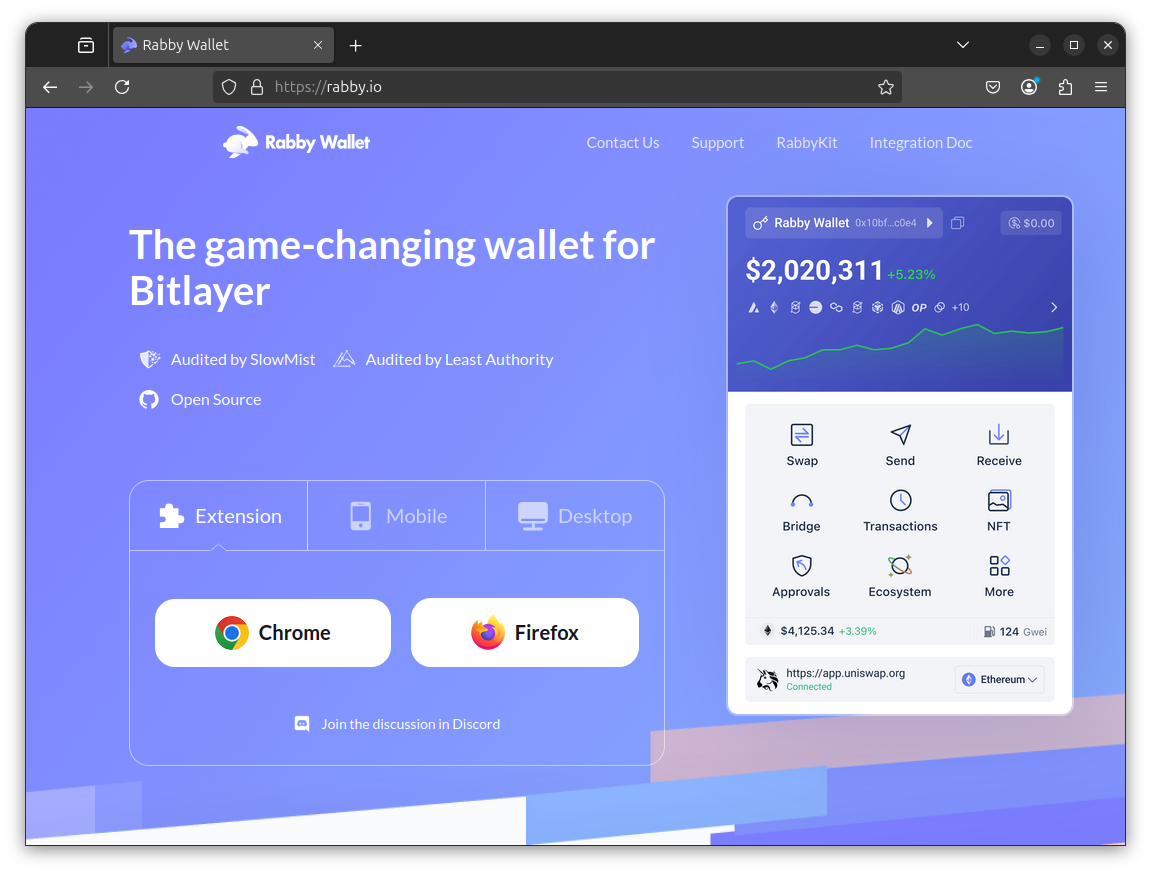
Visit the Official Website: Open your desktop browser (e.g., Chrome, Brave, or Firefox) and go to rabby.io. This is the official source. Always download from here to avoid scams!Screenshot of the Rabby Wallet website
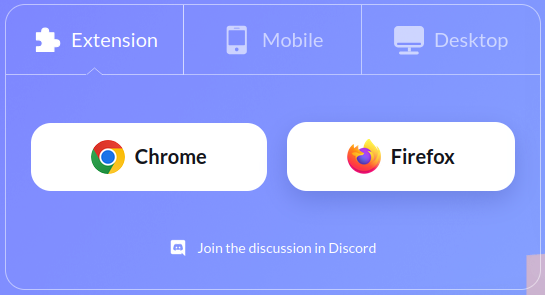
Choose the Extension: Select your browser (e.g., "Chrome or Firefox". Browsers like Brave are based on Chrome so select Chrome if you have Brave).Screenshot of the extension selection options
Install the Extension:
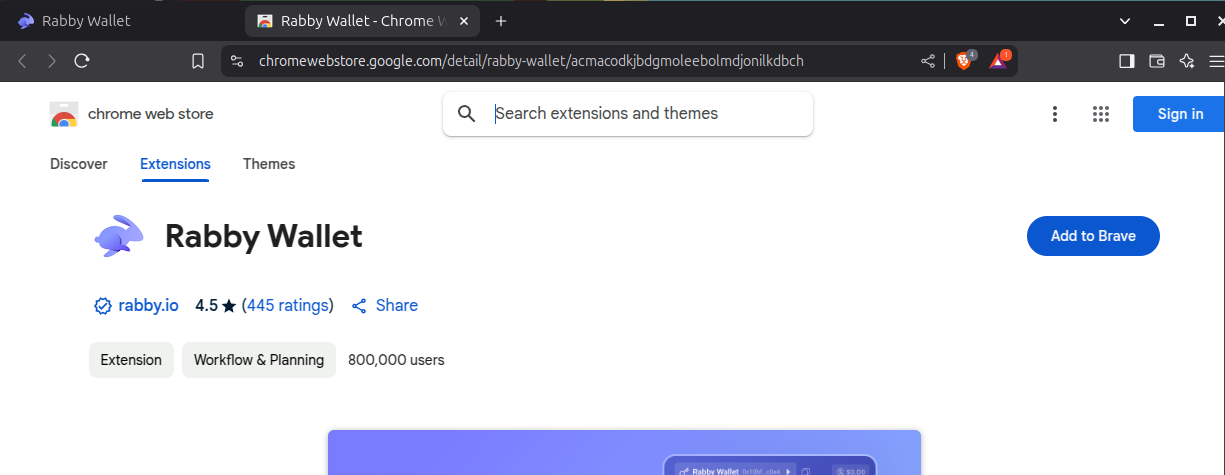
For Chrome/Brave: You'll be redirected to the Chrome Web Store. Click "Add to Chrome" (or "Add to Brave"), then confirm by clicking "Add Extension" in the pop-up.Screenshot of adding the Rabby Wallet extension to Brave
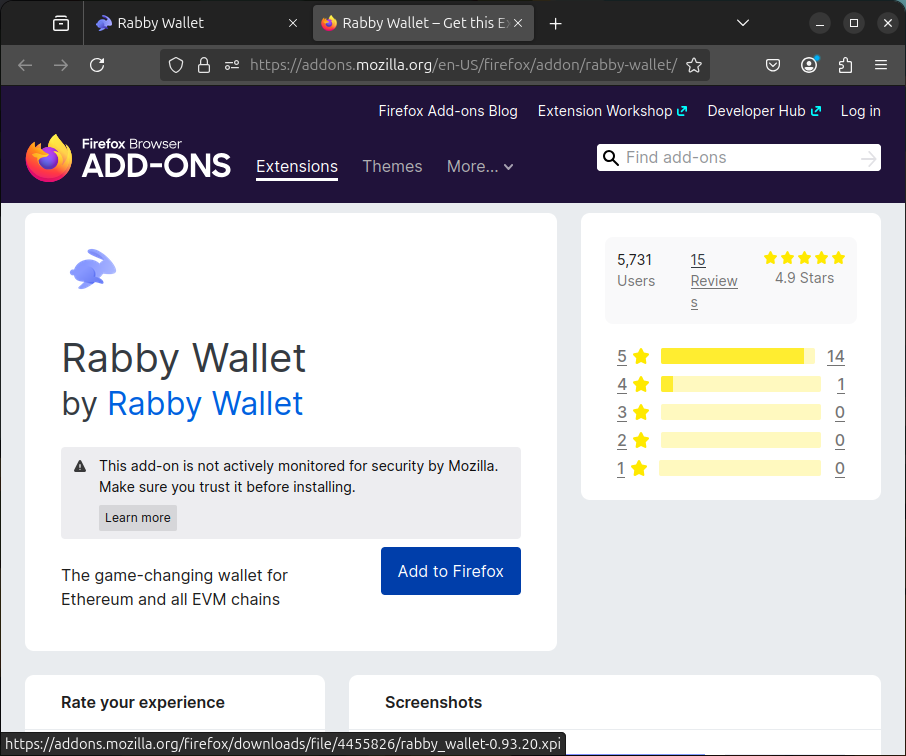
For Firefox: Follow the similar prompts in the Firefox Add-ons store.Screenshot of adding the Rabby Wallet extension to Firefox
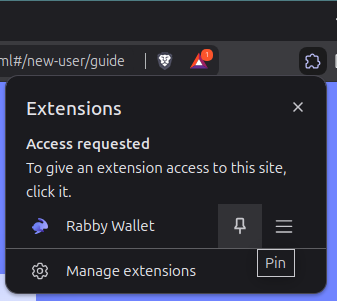
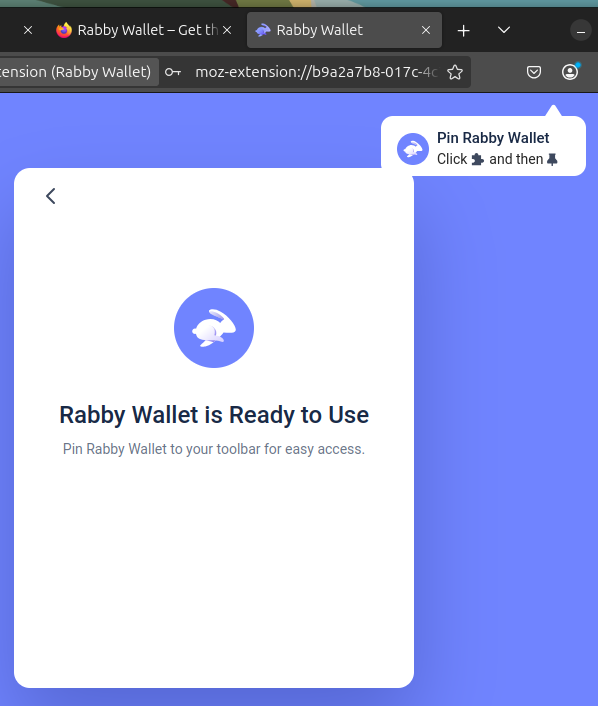
Verify Installation: Once installed, you'll see the Rabby Wallet icon in your browser's toolbar. Pin it for easy access by clicking the puzzle piece icon (extensions menu) and selecting the pin next to Rabby Wallet.
Brave:Screenshot of pinning Rabby Wallet in Brave
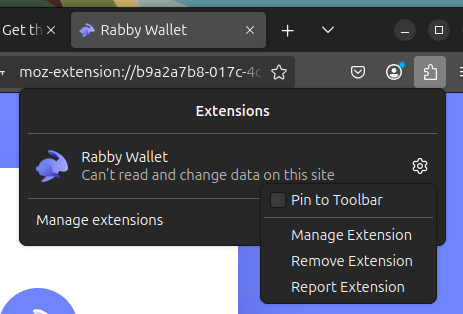
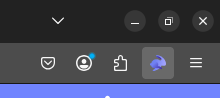
Firefox - Locate the puzzle piece and click it:Screenshot of pinning Rabby Wallet in Firefox, step 1Firefox - Locate the gear and click it. Note: Click "Pin to Toolbar":Screenshot of pinning Rabby Wallet in Firefox, step 2Firefox - Rabby Wallet is now on the toolbar!Screenshot of pinning Rabby Wallet in Firefox, step 3
Step 2: Set Up Your Wallet
Open Rabby Wallet: Click the Rabby Wallet icon in your toolbar to launch it.
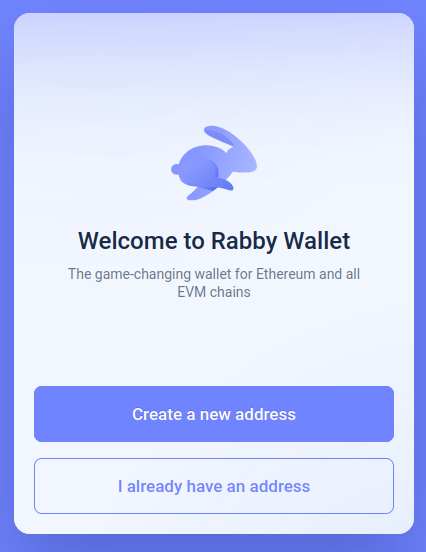
Get Started: You'll see a welcome screen. Choose one of two options:Screenshot of the Rabby Wallet welcome screen
Create a New Wallet: If you're starting fresh.
Import an Existing Wallet: If you already have a wallet (e.g., MetaMask) and want to migrate.
Option A - Create a New Wallet:
Click "Create a new address".
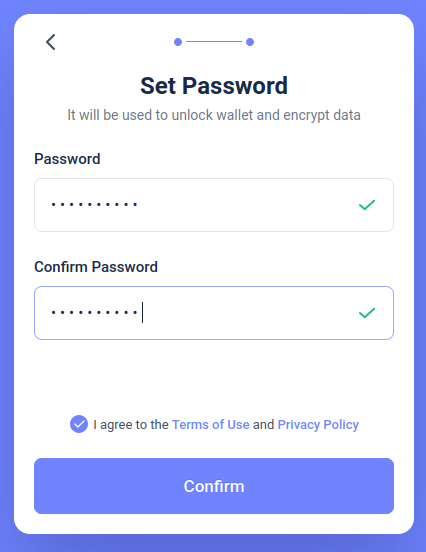
Set a strong password (at least 8 characters, mix letters, numbers, and symbols) and confirm it. This password locks the extension and encrypts your local data.
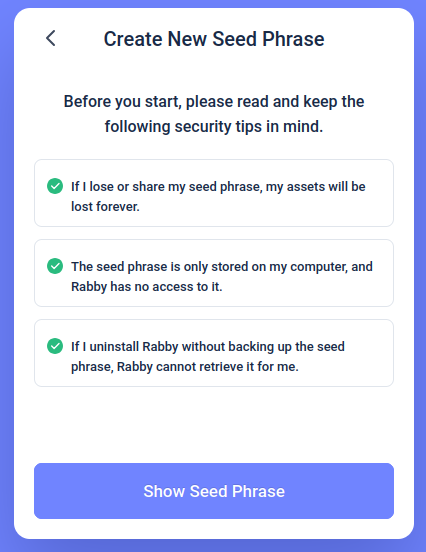
Screenshot of Rabby Wallet seed phrase creation
Click "Next" to generate your seed phrase.
Screenshot of Rabby Wallet seed phrase creation
Back Up Your Seed Phrase: A 12-word phrase will appear. Write it down on paper and store it securely (e.g., in a safe). Never store it digitally or share it! It's the key to recovering your wallet!
Screenshot of Rabby Wallet seed phrase backup
You may be asked to enter your seed phrase again. Confirm you've saved it by entering the words in the correct order, then click "I've Saved the Phrase".
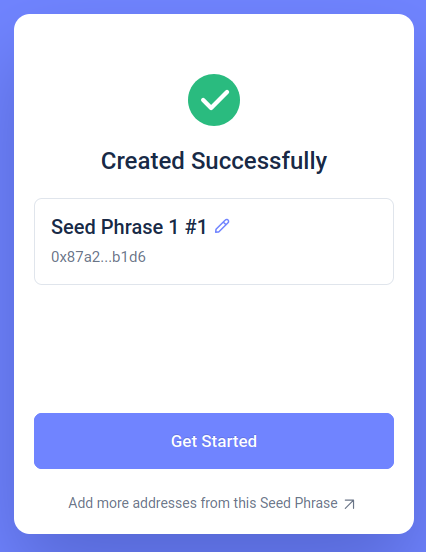
Screenshot of Rabby Wallet with seed phrase created successfully
Option B - Import an Existing Wallet:
Click "I already have an address".
Select "Import Seed Phrase" (if migrating from MetaMask or another wallet) or "Import Private Key" (for a specific address).
Enter your 12-word seed phrase or private key, then set a password as above.
Click "Next" to import your wallet.
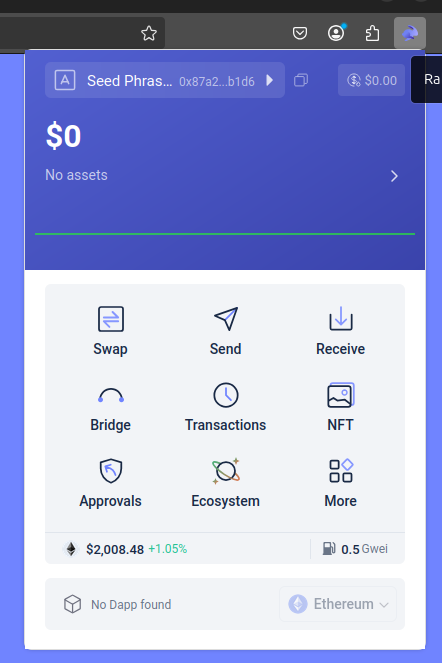
Finish Setup: Once your wallet is created or imported, you'll see the main interface with your address and balance.Screenshot of a Rabby Wallet ready for use!
Step 3: Secure Your Wallet
Double-Check Your Seed Phrase: Ensure it's stored offline in a safe place. Without it, you can't recover your funds if you lose access.
Enable Security Features: Rabby automatically includes transaction previews (showing balance changes before confirming) and risk alerts. Familiarize yourself with these when you make your first transaction.
Avoid Phishing: Only use the official rabby.io site and never enter your seed phrase on unknown websites or share it with anyone.
Step 4: Start Using Rabby Wallet
Add Funds: Copy your wallet address (click the address at the top) and send crypto from an exchange or another wallet.
Explore Features: Use the "Swap" feature for token trades, "Send" to transfer assets, or connect to DeFi apps via the wallet's interface.
Switch Chains: Rabby auto-detects the correct blockchain for most DeFi apps, so no manual chain switching is needed.
Troubleshooting Tips
Extension Not Showing?: Ensure it's pinned in your browser's toolbar or check your extensions menu.
Tokens Not Visible?: Rabby auto-displays most EVM tokens, but you can manually add custom tokens via their contract address if needed.
Need Help?: Visit the Rabby Wallet Help Center at support.rabby.io to find guides and FAQs.
Pulsechain support getting removed? Sadly Rabby have decided to remove support for Pulsechain by default but don't worry, you can still add Pulsechain as a custom network. Instructions coming soon!
That's it! In just a few minutes, you've got Rabby Wallet up and running. Enjoy a safer, smarter crypto experience tailored for today's blockchain world. Happy exploring!
Disclaimer: This is an unoffical site. No information here is to be considered finacial adivce. All information here is provided in a best effort fashion. Please do your own research. Never share your recovery phrase or private key with anyone.